
Connecting an Agent
Connecting an Agent
Evalion supports two connection methods for voice agents:
- Phone number: Connect your voice agent using its dedicated phone line.
- API endpoint: Connect your voice or text agent using its API.
Connect your Agent
-
Start by navigating to the Agents section in the Evalion dashboard, and simply click on Connect Agent
-
In the agent form, complete the following fields:
-
Agent name: Enter a descriptive name for your agent.
-
Language: Select the language used by the agent.
-
Agent Type: Select the agent type Inbound or Outbound.
-
Connection method: Choose how the agent will interact Phone or API.
-
Interaction mode: Choose how users will interact with the agent Voice or Text.
-
Connection details:
- For phone connections: Enter your agent's phone number.
- For API connections: Enter your agent's API endpoint.
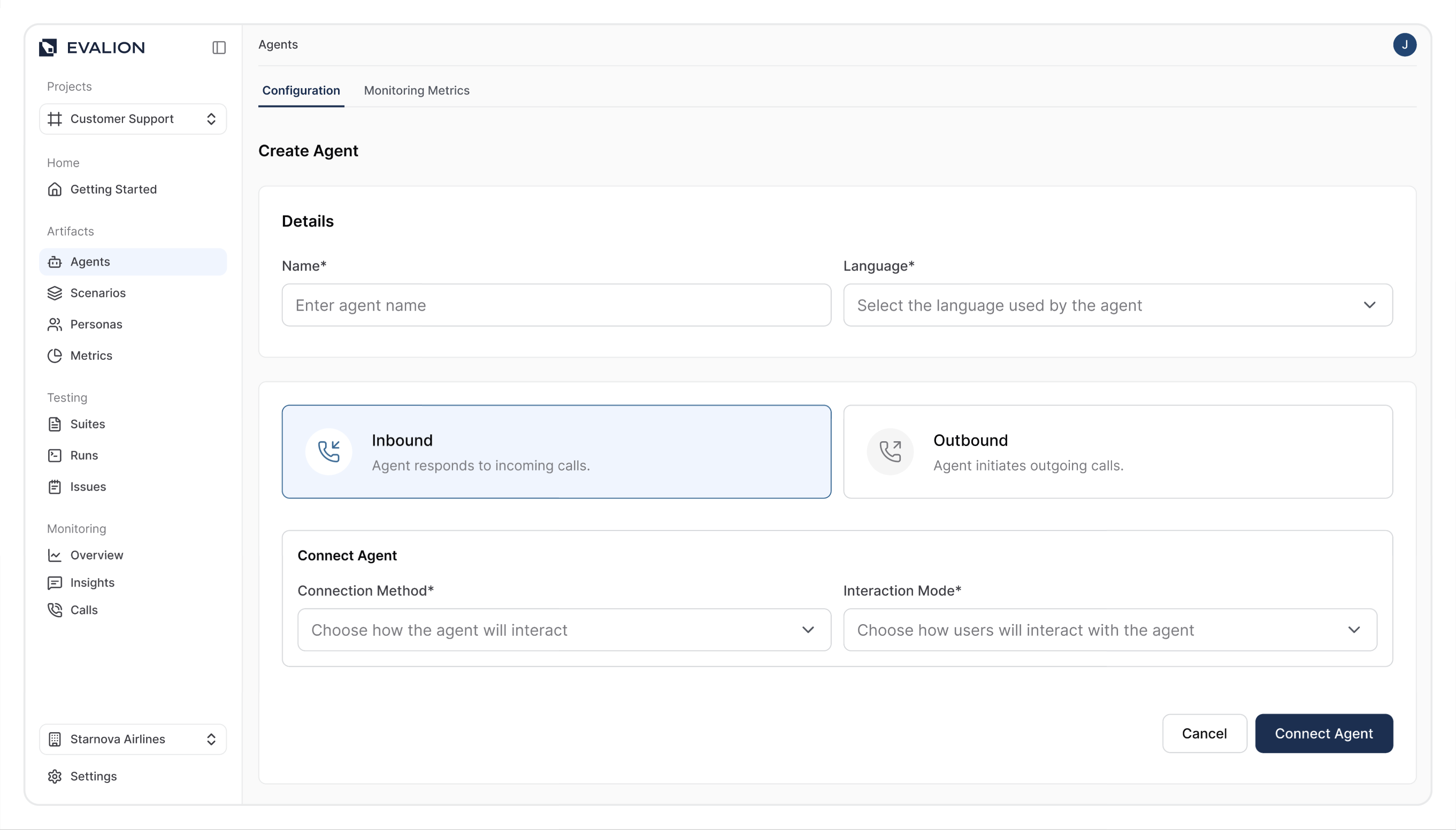
- Click Create Agent
Your agent connection is being established… If connection fails for:
- Phone connections: Double-check that the country code and number are correct.
- API connections: Ensure that your endpoint URL is accessible.
Updated about 2 months ago