
Debug Failure Cases with Test Suite Analytics
Debug Failure Cases with Test Suite Analytics
In this tutorial, you'll learn how to identify, analyze, and resolve agent failures in your test suites.
What you'll accomplish:
- Identify patterns in failed test cases across multiple simulations
- Use analytics to pinpoint root causes of agent failures
Prerequisites: You must have completed a test suite run with some failed test cases. Consider adding more challenging scenarios or stricter success criteria if all your tests pass.
Understanding Failure Patterns
Navigate to the Runs page and select a test suite with failed test case.
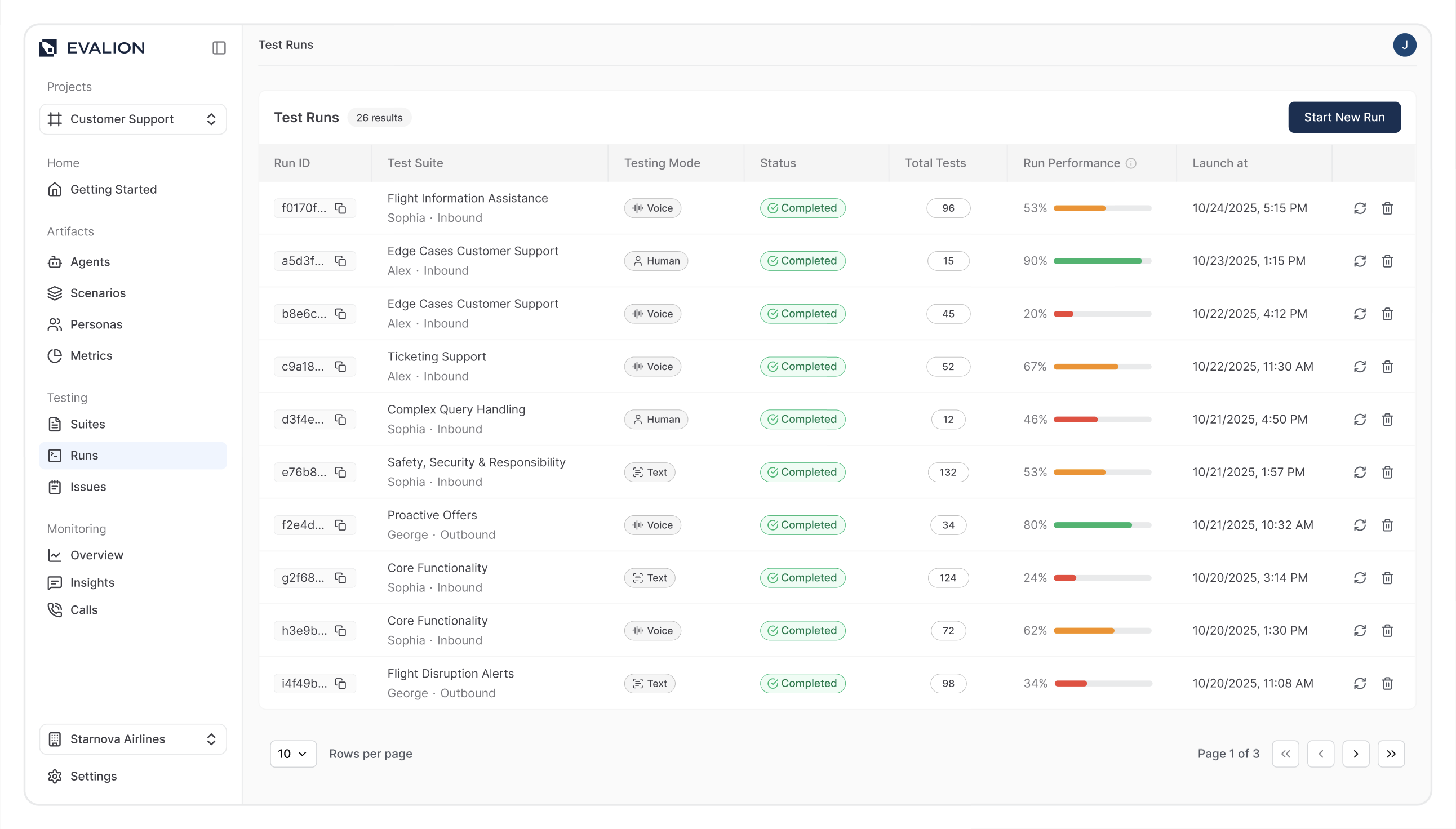
Look for patterns in:
- Scenarios: Which test scenarios fail most frequently?
- Personas: Do certain personality types trigger more failures?
- Metrics: Which success criteria are not being met?
These patterns reveal systemic issues in your AI conversational agent rather than isolated problems.
Analyzing Failed Cases
To analyze a failed test case, select a failed test case and focus on these critical areas for comprehensive debugging.
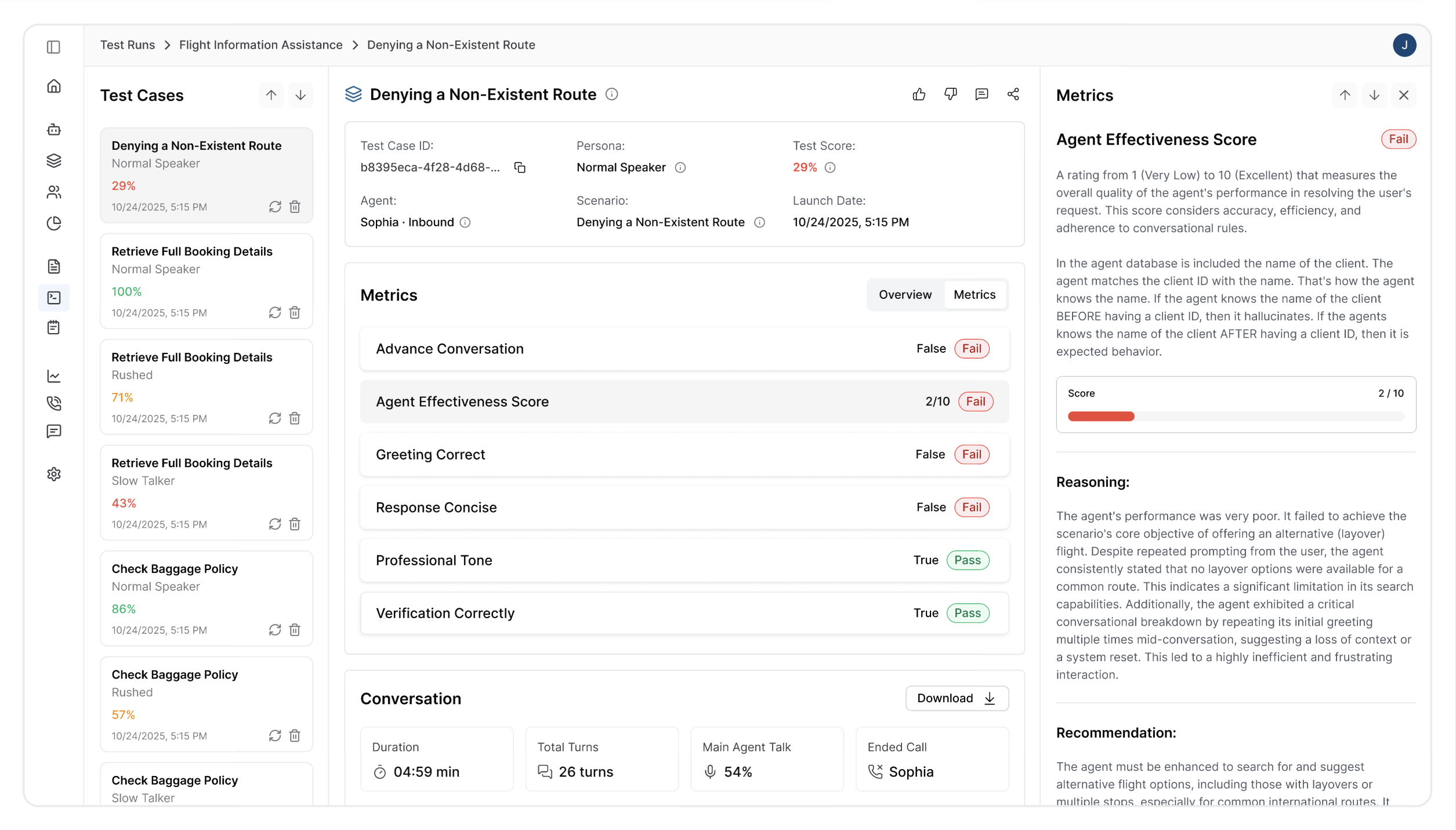
Each section provides unique insights that help you understand what went wrong, why it happened, and how to prevent similar issues in future tests.
1. Reason for Failure Section
Review Evalion's automatic analysis to understand the core issues behind your test failure. This automated analysis serves as your starting point, providing context such as:
- Primary failure reason and contributing factors for failed test cases
- Conversation context where the failure occurred
2. Conversation Audio
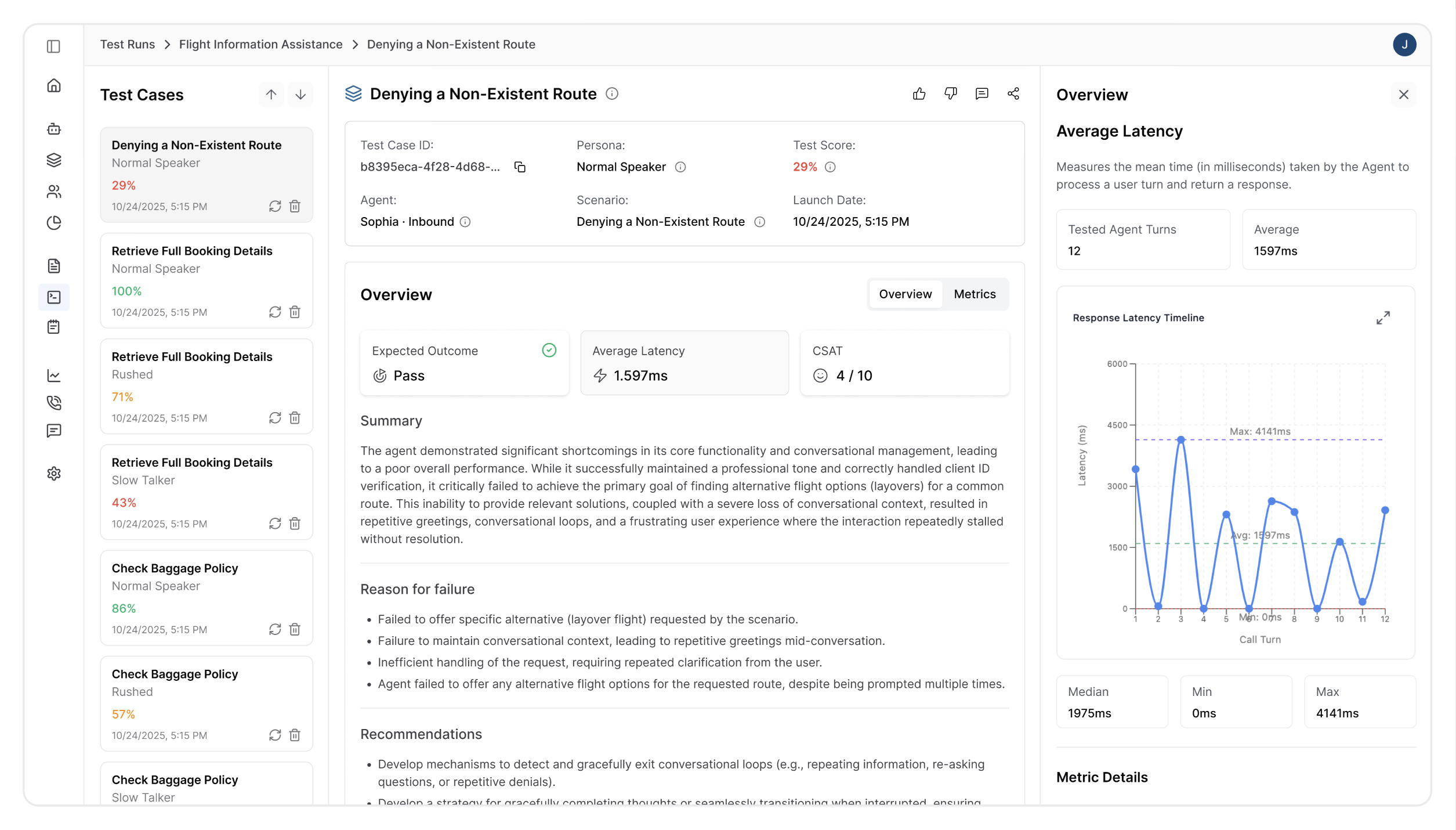
Use the test audio recording to trace what happened during the voice interaction. Listen for audio quality issues, speech recognition problems, or unnatural pauses that might indicate technical failures. This analysis lets you:
- Identify conversation duration to see if calls ended prematurely or dragged on too long
- Examine the average latency between user input and agent response to identify performance bottlenecks.
- Count the total interactions to understand conversation complexity
- Analyze how long your agent spent talking versus listening to determine if it dominated the conversation inappropriately or failed to engage sufficiently with the user's needs.
3. Conversation Transcript
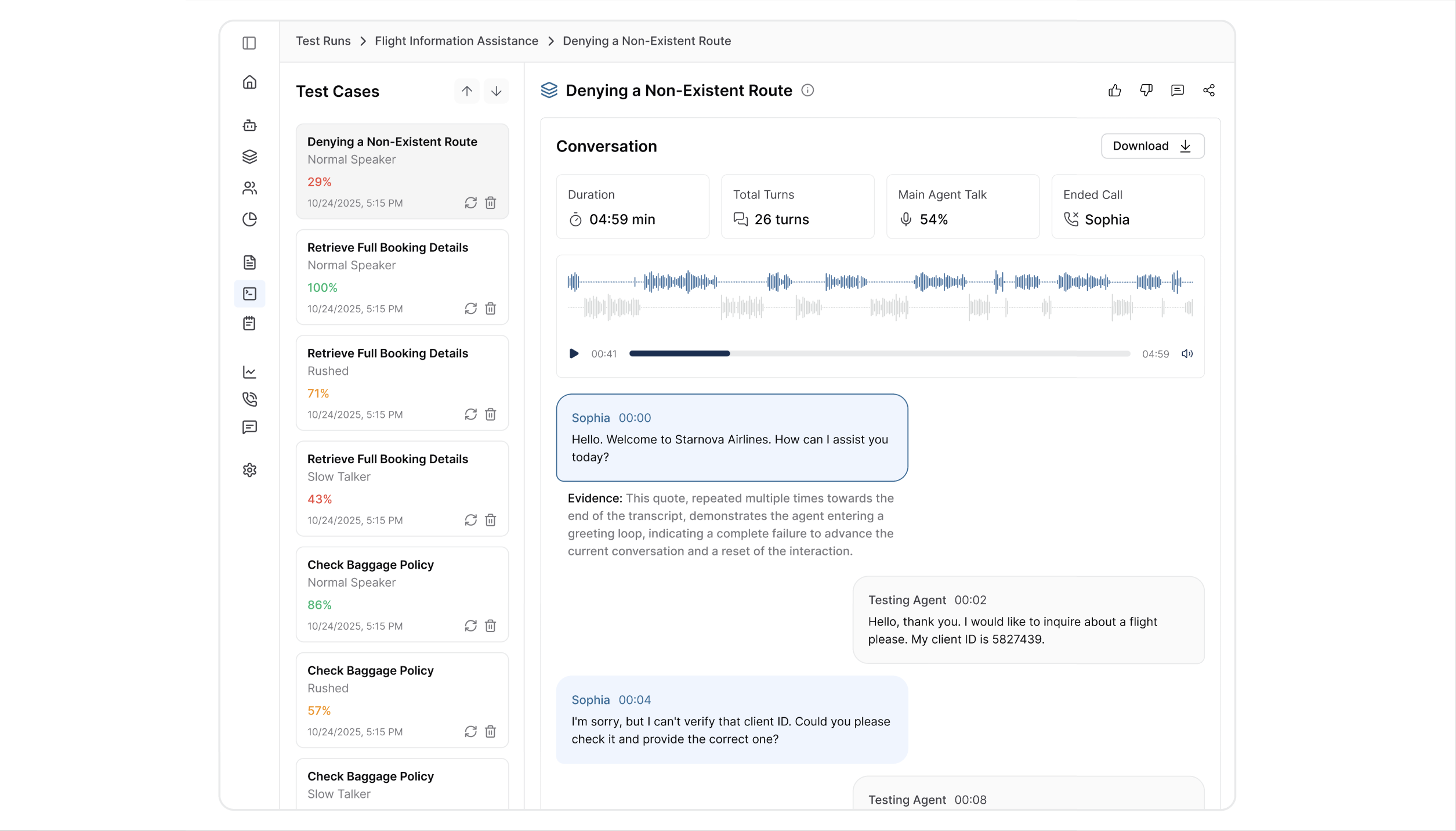
Use the detailed transcript to trace the logical flow and identify precisely where the conversation derailed. This analysis allows you to:
- Identify a specific moment where the conversation failed by examining each exchange between the persona and your agent
- Check whether agent responses were contextually appropriate and logically followed from user input
- Verify that the Persona behaved as expected according to its defined characteristic
Common Failure Types
Understanding the most frequent types of agent failures helps you quickly categorize issues and apply the right debugging approach. Most voice AI failures fall into predictable patterns stemming from common conversational AI development challenges.
1. Intent Recognition Failures
This type of failure occurs when your voice agent fundamentally misunderstands user requests, leading to irrelevant responses or missing the user's needs.
Debug steps:
- Check if your agent training covers the specific language patterns and vocabulary used during the failed interaction
- Verify that test scenario definitions accurately match realistic user expressions
Potential Fix:
- Expand training data with more diverse phrasings for common requests
- Implement better context awareness to clarify similar-sounding intents
- Add fallback mechanisms that ask clarifying questions when confidence levels are low
2. Information Accuracy Issues
This type of failure occurs when your conversational agent provides factually incorrect data, outdated information, or details that don't match your current business parameters. In the context of our FitCore AI assistant, this could manifest as incorrect pricing for training sessions or inaccurate trainer availability that can confuse potential clients.
Debug steps:
- Verify that your agent's knowledge base contains current and complete information about all services, pricing, and availability
- Ensure your agent prompt includes all necessary details and instructions for accessing the most up-to-date information
Potential Fix:
- Create escalation protocols that transfer users to human agents when information accuracy is uncertain
- Add validation checks that flag potentially outdated information
3. Conversation Flow Problems
Your test could fail due to awkward transitions between conversation topics, premature call endings that leave user needs unmet, or missed follow-up opportunities that result in incomplete bookings.
Debug steps:
- Analyze the conversation structure against your defined procedures to identify where the flow deviated from expected patterns
- Check if your agent handles interruptions, clarifications, and topic changes appropriately without losing track of the user's original intent
Potential Fix:
- Refine conversation flow logic with better state management that tracks user progress
- Implement recovery mechanisms for handling interruptions or topic changes
- Add confirmation steps at key decision points to ensure user satisfaction before proceeding
Validation
After implementing fixes to address your failed test cases:
- Run the same test suite to verify that failed cases now pass
- Add new test cases covering the specific scenarios you fixed
- Monitor trends across multiple test runs
Summary
You've learned to debug your AI agent failures through pattern identification, root cause analysis, and targeted fixes, you can improve your agent's performance and validate those improvements through testing.
Updated about 2 months ago