
Creating Test Suites
Creating Test Suites with Scenarios
Test suites are the most crucial part of testing your AI Conversational Agent. They define different test scenarios your AI Agent should handle flawlessly to ensure optimal performance. A test suite combines your scenarios set, personas, and metrics into a complete evaluation package. Once created, you can run the suite to test your voice agent across multiple conversation types.
The Test Suites excel in two main categories:
-
Text-Based: Validate your voice agent conversational intelligence by creating hundreds of comprehensive text-based tests that measure instruction-following accuracy, goal completion rates, and hallucination detection. This mode ensures your agent provides accurate, factual responses without generating unsupported information.
-
Voice-Based: Test real-world voice performance by creating voice-based test cases that measure speech recognition accuracy, acoustic robustness under different conditions, phonetic understanding of similar-sounding words, and real-time performance metrics like latency and interruption handling across various speakers and environments.
Before creating a test suite, ensure the following prerequisites are met:
-
Connected agent: Your AI Conversational Agent must be connected to your Evalion dashboard. Learn how to connect your agent.
-
Scenario set: At least one scenario set must be created. See how to create scenarios.
Note: Creating Personas and Metrics is optional when creating test suites. Evalion provides default personas and metrics if you haven't created custom ones.
Create a Test Suite
-
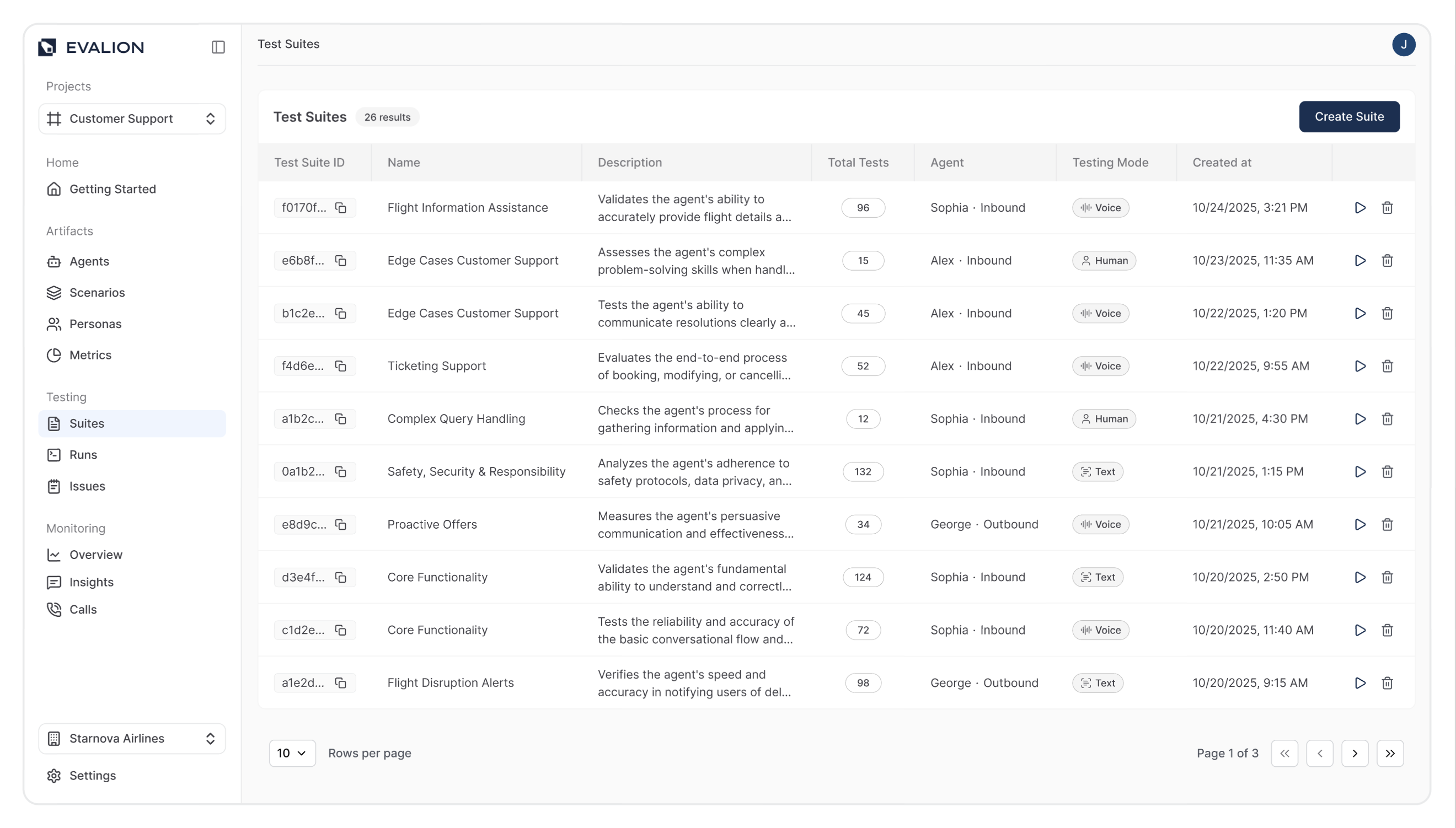
Navigate to Suites in the sidebar, and click the Create Suite button.
-
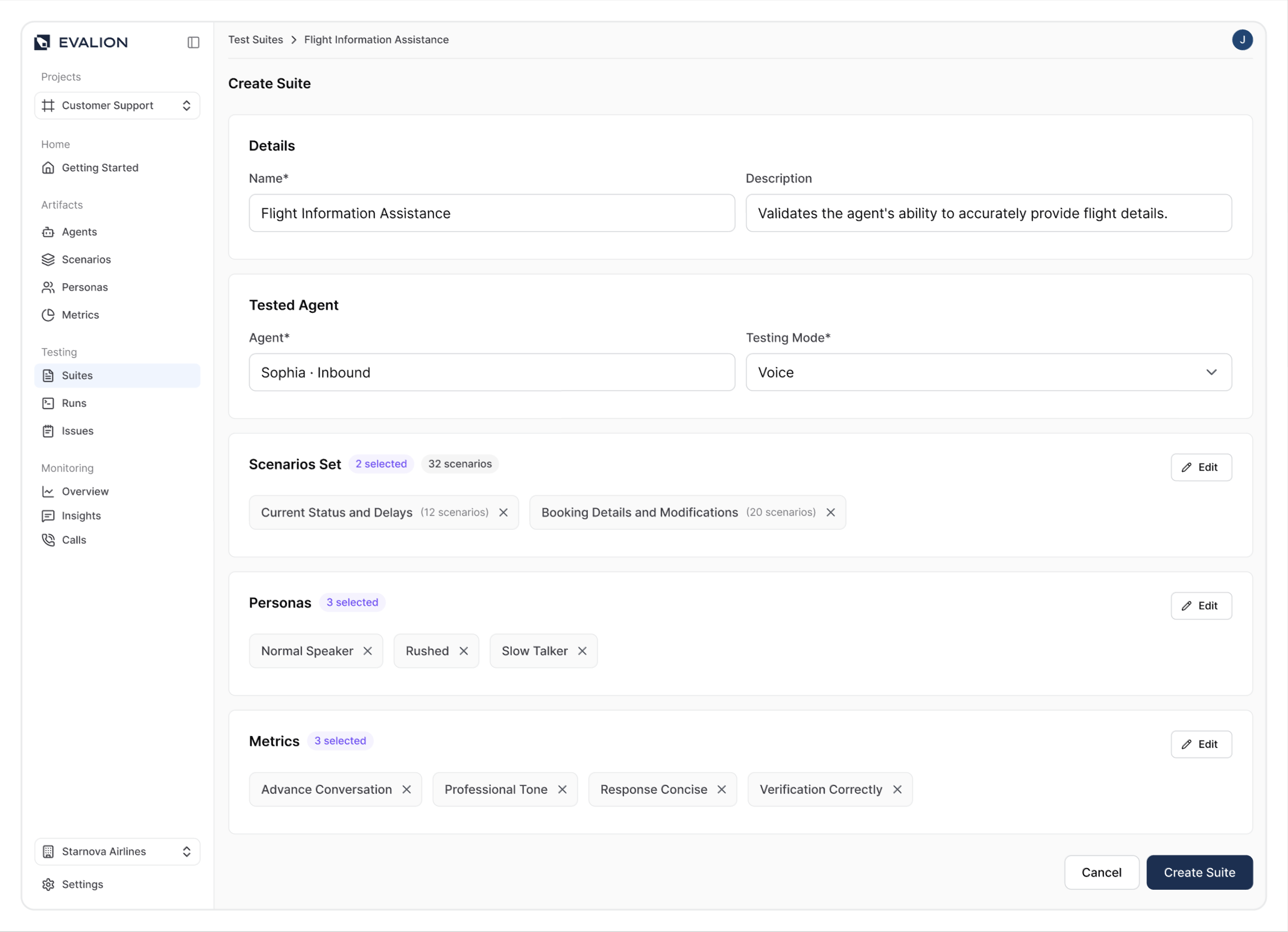
In the Suite Details section, enter:
- Name: A descriptive name for your test suite.
- Description: What this suite tests (e.g., "Customer support scenarios for new users").
-
In the Tested Agent section, select your Agent and a Testing Mode.
-
Add scenarios to your suite:
- Click Add Scenario Sets.
- Select at least one scenario set from the list.
- Click Confirm.
-
Add personas to your suite:
- Click Add Personas.
- Select one or more personas to test.
- Click Confirm.
-
Add custom metrics (Optional):
- Click Add Metrics.
- Select the metrics you want to evaluate.
- Click Confirm.
-
Click Create Suite.
Updated about 2 months ago