
Viewing and Interpreting Results
Viewing and Interpreting Results
Evaluation results provide detailed insights to improve your conversational agent's performance. Use these detailed reports to identify issues, optimize configurations, and prevent problems before they affect real users.
View Evaluation Results
-
In the Evalion dashboard, go to Runs in the sidebar.
-
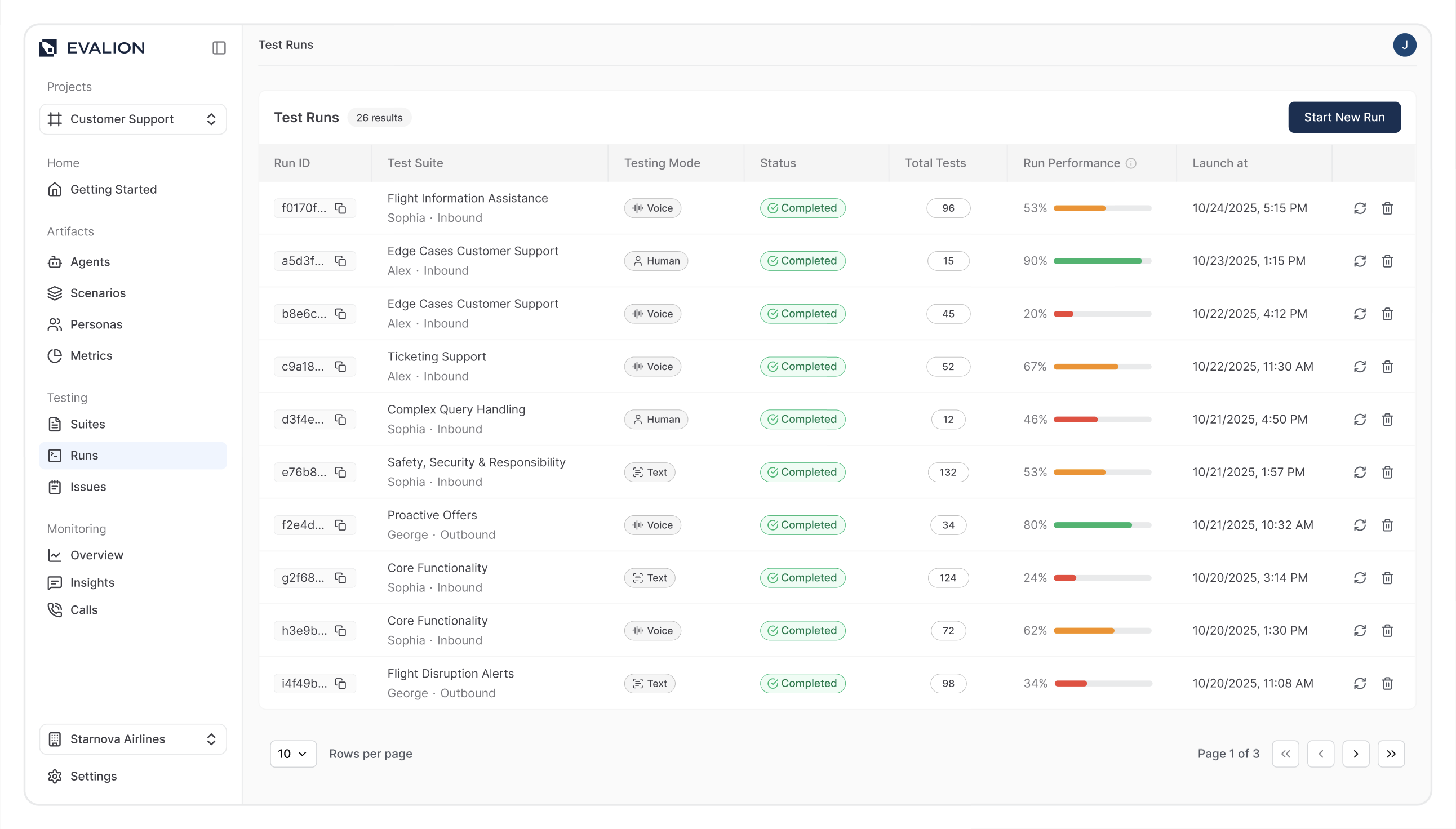
Find your completed test suite and click on it to view details:
-
Select any conversation test case to analyze individual interactions.
Understanding your Results
Each evaluation includes four key components:
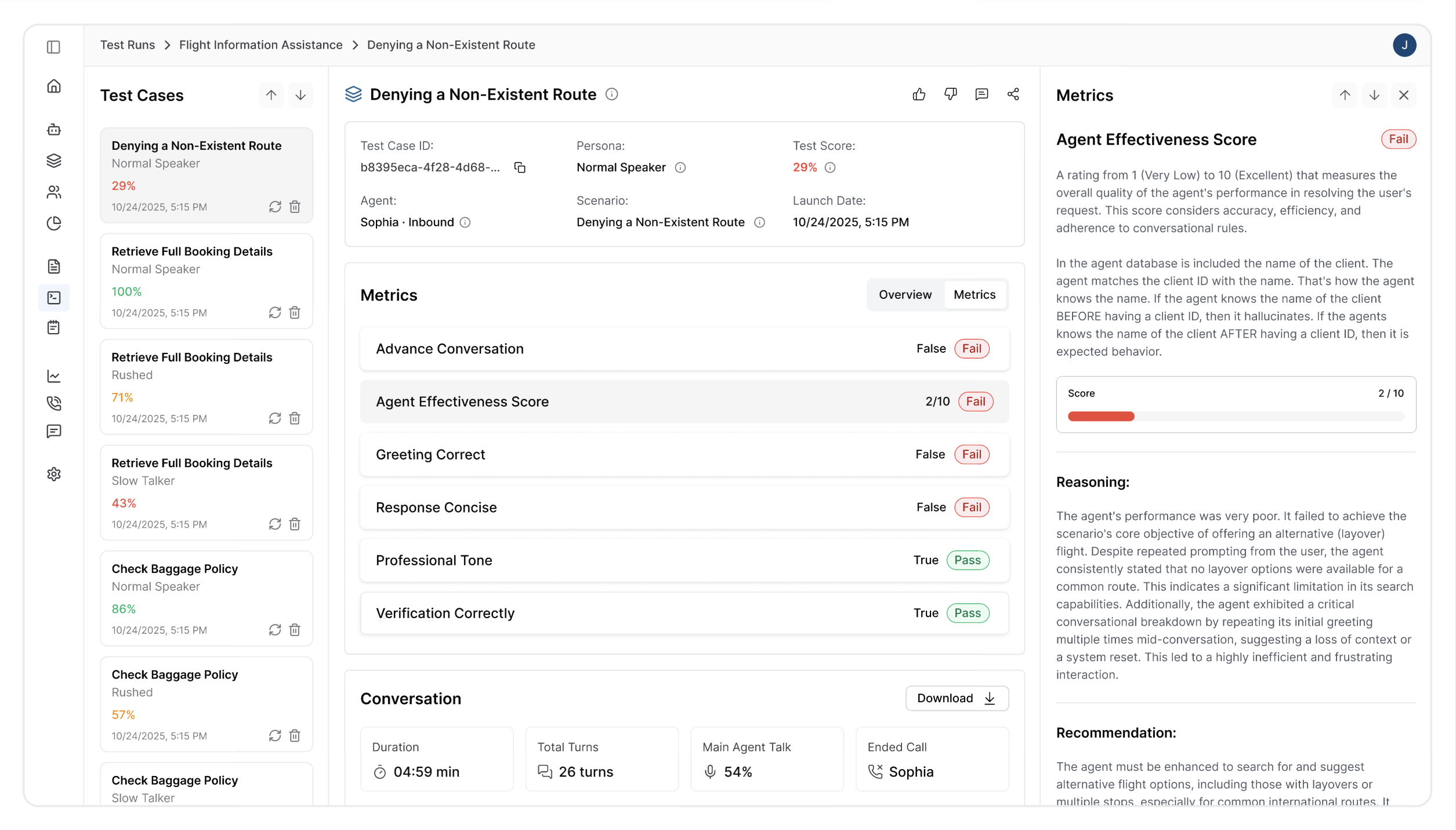
1. Performance Scores
View scores based on your defined metrics, such as:
- Advance Conversation
- Agent Effectiveness Score
- Greeting Correct
- Response Concise
2. Conversation Transcripts and Audio
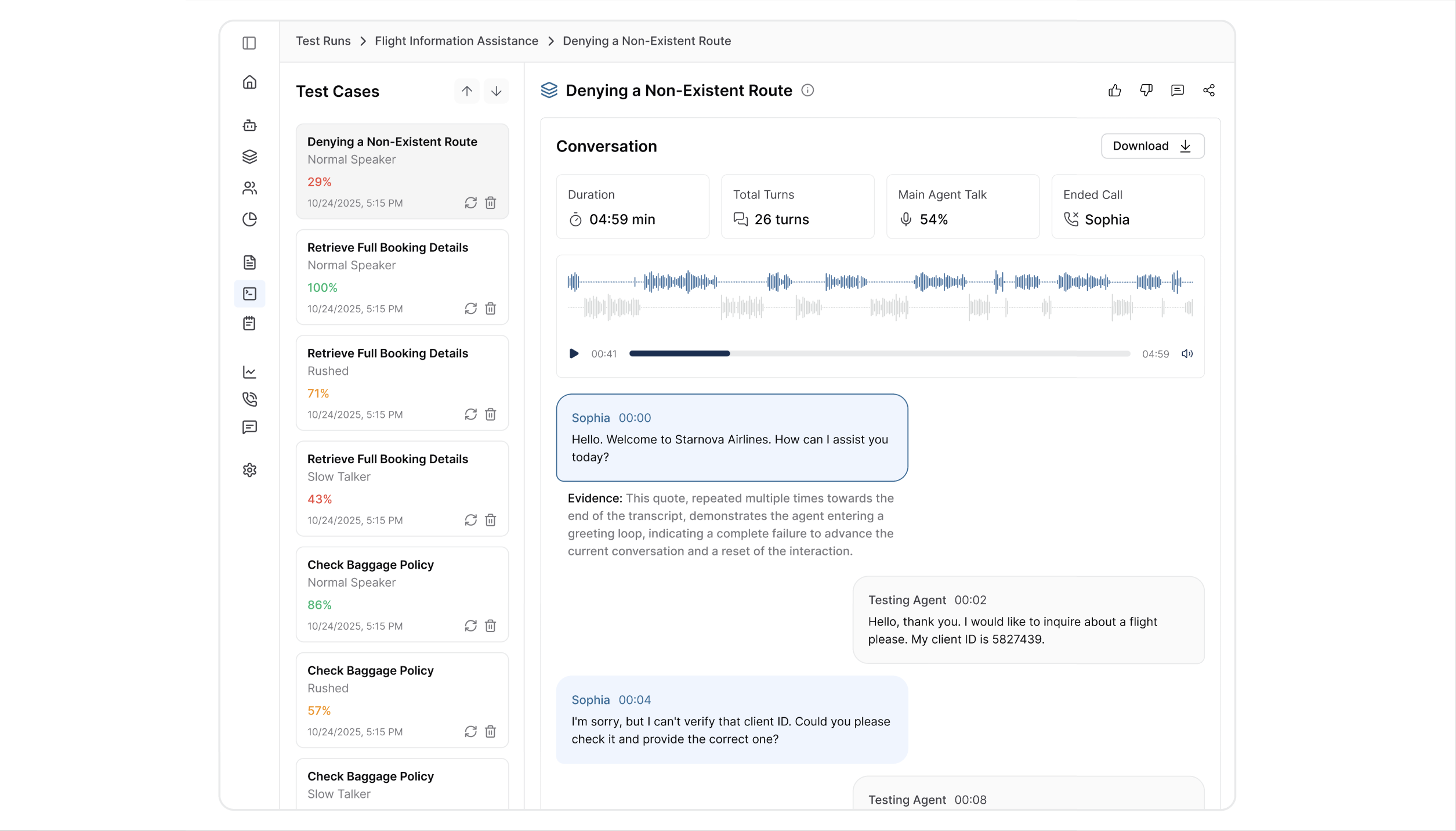
Access complete conversation records between the test persona and your voice agent:
- Audio playback: Listen to the actual conversation flow and timing.
- Full transcripts: Review exact dialogue and response patterns.
- Interaction analysis: See how your agent handles different conversation types.
This helps you understand your agent's real-world behavior before deployment.
3. Failure Analysis
For conversations that didn't meet your success criteria, get:
- Specific failure reasons (e.g., "Agent interrupted user," "Incorrect information provided").
- Root cause identification and point of failure during dialogue.
- Performance breakdown by conversation phase.
4. Improvement Recommendations
Receive targeted suggestions to enhance your agent's performance, such as:
- Prompt optimization advice
- Configuration adjustments
- Training scenario recommendations
- Model performance insights
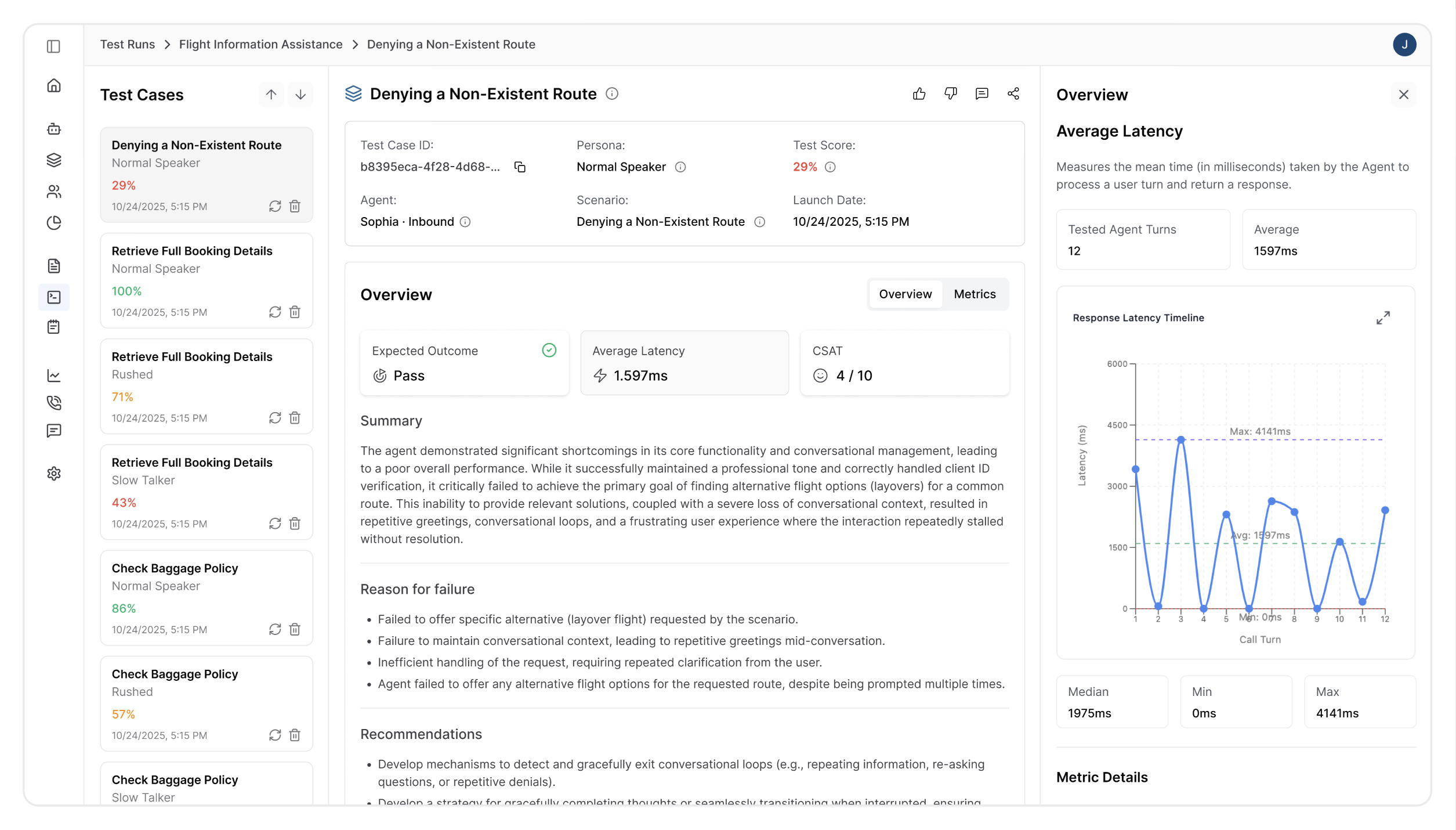
These recommendations help you improve core functionality and user request handling.
Updated about 2 months ago